
Capital.Com Review 2026 (Expert Review)
Capital.Com Review Summary
Capital.Com broker is one of the most popular amongst online brokers. The platform has an easy-to-use user interface and great customer support. Many new traders are likely to have questions about trading and how it works. The Capital.Com broker platform is easy-to-use and offers a wide range of tools to trade with. For example, you can use MT4 Integration to make trades on the Forex market. It's only available to UK clients, but it's a handy tool for traders. This platform is also highly accessible and has a number of specialized tools. For traders who want to learn how to use the platform, Capital.Com offers training. The web platform offers several payment options, including debit and credit card, bank wire transfer, and e-wallets. The website also lets users change the time zone and language settings, as well as view the top gainers and losers. The company does not charge any fees for deposits and withdrawals, which is a plus for new traders.
Capital.Com review
Capital.Com Platform Features
| 🗺️ Country of regulation | FCA, CySec, ASIC |
| 💰 Trading fees | No |
| 💰 Inactivity fee | No |
| 💰 Withdrawal fee | No |
| 💰 Minimum deposit | $20 |
| 🕖 Time to open a Capital.Com account | 1. *A Capital.Com demo account can be opened in a few minutes, but live Capital.Com trading account creation times will vary depending on how long it takes to process your Capital.Com KYC documents. |
| 💳 Wire Transfer | Yes |
| 👛 Depositing with electronic wallet | Yes |
| 💱 Number of base currencies supported | 5 |
| 🎮 Demo account provided | Yes |
| 🛍️ Financial Instruments offered | Forex, Majors, Indices, Energies, Metals, Agriculturals, |
Capital.Com review
Capital.Com Financial Regulation
Capital.Com is regulated by FCA, CySec, ASIC.
Capital.Com review
Capital.Com Pros And Cons
Regardless of how you trade, there is always a risk to online trading, as well as some key advantages to using such a method. Below are some key pros and cons. The pros of using Capital.Com include a large choice of assets that are available to be traded 24/7; and a modern website and mobile app; video guides and chart reading tools to help you carry out fundamental and technical analysis; community features to help you learn from and integrate with other platform users. On the other hand, the cons of using Capital.Com can be that the spreads offered on trading financial instruments (Availability subject to regulation) are relatively wide; no mutual funds available to invest in; high risk meaning it is not often a suitable platform for new traders.
Capital.Com review
Capital.Com Advantages
One of the main advantages of using Capital.Com is around the clock service and support as well as research offerings. Not only this, but Capital.Com has reduced transaction costs and fees that are often associated with traditional brokerage firms. This provides users of Capital.Com with greater flexibility and more control - time is of the essence when trading, and where traditional brokers require appointments just to initiate a trade, trading with Capital.Com makes the process a lot quicker. Finally, users have the ability to monitor their investments in real time. Capital.Com offers stock quotes and trade information, making it easy for users to view how their investments are doing.
- Capital.Com does not have inactivity fees.
Capital.Com review
Capital.Com Disadvantages
Although Capital.Com has a lot of good points Capital.Com does not offer the below.
- Capital.Com does not offer Stock Trading (See Capital.Com alternatives who offer Stock Trading here)
- Capital.Com does not offer Cryptocurrency Trading (See Capital.Com alternatives who offer Cryptocurrency Trading here)
- Capital.Com does not offer PayPal as a payment method (See Capital.Com alternatives who offer PayPal as a payment method here)
- Capital.Com does not offer Neteller as a payment method (See Capital.Com alternatives who Neteller as a payment method here)
- Capital.Com does not offer Skrill as a payment method (See Capital.Com alternatives who offer Skrill as a payment method here)
- Capital.Com does not offer Islamic Accounts (See Capital.Com alternatives who offer Islamic Accounts here)
- Capital.Com does not offer ECN trading (See Capital.Com alternatives who offer ECN trading here)
- Capital.Com does not offer Bitcoin Trading (See Capital.Com alternatives who offer Bitcoin trading here)
- Capital.Com does not offer the MetaTrader 4 platform (See Capital.Com alternatives who offer the MetaTrader 4 platform here)
- Capital.Com does not offer the MetaTrader 5 platform (See Capital.Com alternatives who offer the MetaTrader 5 platform here)
- Capital.Com does not offer the cTrader platform (See Capital.Com alternatives who offer the cTrader platform here)
- Capital.Com does not offer a Apple Mac desktop trading platform (See Capital.Com alternatives who offer an Apple Mac desktop trading platform here)
- Capital.Com does not offer Spread Betting (See Capital.Com alternatives who offer Spread Betting here)
- Capital.Com does not offer Hedging (See Capital.Com alternatives who offer Hedging here)
- Capital.Com does not offer Scalping (See Capital.Com alternatives who offer Scalping here)
- Capital.Com has inactivity fees (See Capital.Com alternatives who do not have inactivity fees here)
 Risk Warning: 78.77% of retail CFD accounts lose money.
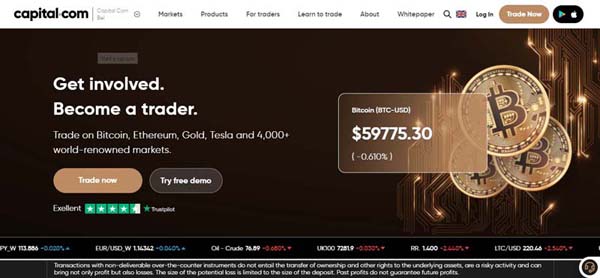
Capital.Com review
Things to understand when trading with Capital.Com
Trading with Capital.Com involves risk. You should only risk capital with Capital.Com that you can afford to lose. Understand your risk tolerance with Capital.Com, and have a trading strategy that Capital.Com is able to help you execute. Capital.Com is a very accessible trading platform but you must take the time to be able to effective use the trading tools and financial instruments Capital.Com give you access too.
Capital.Com review
Capital.Com Trading Fees
Trading fees on Capital.Com are taken in the form of the spreads Capital.Com offers when buying and selling financial instruments like stocks, commodities, fiat currencies and indexes on Capital.Com. Capital.Com fees vary depending on the financial instruments traded and can include, Capital.Com overnight funding fees, spreads, margins and Capital.Com inactivity fees, currency conversion fees, and a spread for applying a guaranteed stop order. There may be some fees when transfering money to and from your Capital.Com account charged by your 3rd party payment provider if your Capital.Com base currency is different from your Capital.Com withdrawal method.

|

|

| |
| Name | Capital.Com | IC Markets | Roboforex |
| Account Fees | No | No | No |
| Withdrawal Fees | No | No | Yes |
| Deposit Fees | No | No | |
| Inactivity Fee | No | No | No |
| riskwarning | Try Now 78.77% of retail CFD accounts lose money | Try Now Losses can exceed deposits | Try Now Losses can exceed deposits |
Capital.Com review
Capital.Com Financial Instrument Fees
Capital.Com fees for Forex, Majors, Indices, Energies, Metals, Agriculturals, are listed below.
Capital.Com review
Capital.Com Stock Trading Fees
The majority of Capital.Com trading fees, commission is either a flat fee per trade or calculated based on the number of traded shares. Several brokers do also offer zero-commission trading for stocks, ETFs, and options. A Capital.Com stock trading fee is a brokerage fee that is charged when you buy or sell stocks. A trader may also pay commission or a fee for buying and selling other investments, like options or exchange-traded funds.
Capital.Com review
Capital.Com Forex Fees
Commission on Capital.Com Forex trading can either be a fixed fee (i.e., a fixed sum regardless of volume) or a relative fee: the higher the trading volume, the higher the commission. The amount of money that a trader is charged for Capital.Com Forex fees is based on their trade size. To calculate Capital.Com Forex fees, one would subtract the bid price from the ask price to find the spread. A Forex broker keeps this spread as their fee/commission.
Capital.Com review
Capital.Com Non Trading Fees
Capital.Com non-trading fees include a variety of Capital.Com brokerage fees and charges that a trader will pay which are not related to buying and selling financial instruments using the Capital.Com trading platform. The most common non-trading fees include Capital.Com withdrawal fees, Capital.Com deposit fees and Capital.Com inactivity fees.
Capital.Com review
Capital.Com Deposit Fees
Capital.Com does charge deposit fees in some cases. When funding your Capital.Com account there may be some Capital.Com deposit fees which will vary depending on the payment method you use to deposit to your live Capital.Com trading account.
Capital.Com review
Capital.Com Inactivity Fees
Capital.Com does not charge traders inactivity fees. Capital.Com does not charge for dormant inactive trading accounts. Brokers typically attempt to compensate for lack of commissions by charging inactivity fees.
Capital.Com review
Capital.Com Withdrawal Fees
Capital.Com does not charge withdrawal fees. Withdrawals fees vary between Capital.Com and Capital.Com alternatives depending on where you are located and how much money you are withdrawing.
Capital.Com review
Capital.Com Account Fees
Capital.Com does not charge account fees. Account fees charged differ between Capital.Com and other brokers. An account is a fee that Capital.Com and other brokers assesses on all accounts for the ability to keep an account on their platform.
Capital.Com review
Capital.Com Account Opening
The Capital.Com account registration process is simple, user-friendly, and quick. Within 1 most Capital.Com trading accounts are ready for live trades. Our Capital.Com account was validated in 1 day, but live Capital.Com trading account verification times will vary depending on the time it takes to process your KYC documents and Capital.Com trading account application. A Capital.Com demo account can be opened in a few minutes.
Capital.Com trading accounts are available in over 194 countries. Capital.Com is restricted in the following countries.
Apart from the restricted countries a Capital.Com trading account can be opened globally.
The Capital.Com trading platform is available for residents in US. Some financial instruments Capital.Com offer may be restricted in your country.
- Fast Capital.Com account opening.
- Capital.Com accounts can be opened and KYC can be verified digitally.
- Capital.Com minimum deposit is $20 USD / GBP / EURO.
- Capital.Com trading account verification may be held up for longer than a day if there is an issue with verifying your account.
Capital.Com review
Capital.Com Deposit And Withdrawal
Capital.Com Account Base Currencies
A base currency is the currency in which your account is denominated. In other words, it is the currency you use to trade. Base currencies are used for accounting purposes to refer to the currency in which an investor maintains their book of accounts. For foreign exchange market purposes, a base currency refers to the first currency in a currency pair and the second, the quote currency.
GBP, USD, EURO are supported by Capital.Com as account base currencies. However, in each country, only two or three account base currencies are accessible, usually the local currency plus USD. In the United Kingdom, for example, only GBP, EUR, and USD are accessible for UK traders.
Capital.Com offers the following account GBP, USD, EURO.
When trading make sure your Capital.Com trading account currency is the same currency as your withdrawal and deposit bank account otherwise there may be some additional currency conversion fees levied by your bank. Capital.Com has no control over the fees your bank may charge for currency conversions or withdrawals and deposits to from and to your bank account.
|
|
|
| |
| Name | Capital.Com | IC Markets | Roboforex |
| Number Of Currencies | 5 | 10 | 4 |
| Base Currencies | USD, GBP, EUR, CHF, JPY, SGD, AUD, CAD, HKD, NZD | USD, EUR, XAU | |
| riskwarning | Try Now 78.77% of retail CFD accounts lose money | Try Now Losses can exceed deposits | Try Now Losses can exceed deposits |
Capital.Com review
Capital.Com Deposit Fees and Deposit Methods
Investors can log in to their Capital.Com trading account, type in their credit card information and the funds required will be posted in a number of business days. Investors can also transfer funds into their Capital.Com trading accounts from an existing bank account or send the funds through a wire transfer or online check.
Capital.Com Deposit Fees
Making a deposit on your Capital.Com account is free.
Capital.Com Deposit Methods
There are several methods through which you can deposit money into your Capital.Com account. One can use a credit or debit card and Capital.Com accepts payments from credit and debit cards provided by MasterCard and Visa. You can use PayPal, funding your Capital.Com account using a personal PayPal account. One can also use bank wire or electronic bank transfer. If you have enough funds in your respective account, your bank account will be debited while the equal amount will be deposited into your Capital.Com account. Funding methods for Capital.Com include .
Capital.Com review
Capital.Com Withdrawal Fees and Withdrawal Methods
You can withdraw cash from your Capital.Com brokerage account if you have available funds. If you want to withdraw more than you have available as cash, you may need to close open Capital.Com positions before doing so. Remember that after you close your orders, you may have wait for the trade to settle before you can withdraw that money from your Capital.Com account.
|
|
|
| |
| Name | Capital.Com | IC Markets | Roboforex |
| Funding Methods | Credit Cards, VISA, MasterCard, Debit Cards, Visa, MasterCard, Bank Transfer, PayPal, Neteller, Neteller VIP, Skrill, Poli, Cheque, BPAY, UnionPay, FasaPay, QIWI, RapidPay, Klarna, Electronic wallets (eWallets), Broker to Brokers, Thai Internet Banking, Vietnamese Internet Banking, | Credit cards, VISA, MasterCard, JCB, Debit cards, Bank Transfer, Electronic wallets (eWallets), Neteller, Skrill, Perfect Money, AdvCash, BPAY, China UnionPay, FasaPay, CashU, WeChat Pay, ecoPayZ, AstroPay, Sofort, Giropay, Poli, Wepay, iDEAL, Payoneer, | |
| Withdrawal Fee | No | No | Yes |
| Deposit Fee | Varies | No | |
| riskwarning | Try Now 78.77% of retail CFD accounts lose money | Try Now Losses can exceed deposits | Try Now Losses can exceed deposits |
Capital.Com Fees When Withdrawing Your Account Balance
Capital.Com do not charge withdrawal fees. Some withdrawal fees are out of the control of Capital.Com and may be due to 3rd party payment providers and your account base currency.
Capital.Com Withdrawal Methods
Log into your Capital.Com trading account, which is connected to your bank account. Go to the section that says “funds” or “accounts” and click on it. You will be given two choices: either to add funds or withdraw funds. Click 'withdraw funds' to start transferring money from your Capital.Com account to your bank account. To withdraw money from your Capital.Com account you can use credit or debit cards. Capital.Com processes withdrawals to credit and debit cards provided by MasterCard and Visa. One can also use PayPal, as Capital.Com processes withdrawals to PayPal accounts. Finally, you can also withdraw funds straight to your bank account via bank transfer.
Capital.Com review
Capital.Com Trading Platforms
As there are a number of tradable financial instruments available on the Capital.Com trading platform. Before investing in the Capital.Com platform, there are important factors to consider. Some platforms are designed for the more advanced trader, thus offering more research and analytical tools. The Capital.Com platform has a demo account and educational resources, but it may not be designed for new traders so focuses less on those educational features. Capital.Com offer support.
If you struggle with technology, you need to consider the level of support on Capital.Com is available. Another thing to consider is your financial goals. Make sure that a Capital.Com account fulfils these goals. Several platforms offer commission-free trading, but some require a minimum fee for opening an account.
There can also be additional fees, such as inactivity charges, withdrawals and transfers. Make sure that you have enough funds to trade via a Capital.Com account. Ensure that Capital.Com allows you to focus on the type of trading that you want to focus on.
Make sure Capital.Com is correct for your investment purposes. Markets change quickly, and you need to be able to execute an order instantly. on your platform. Before using Capital.Com, think about how easy it is to use for your personal needs. Does the Capital.Com platform offer real-time updates or delayed updates that are more informed? Remember to check if Capital.Com is well regulated, and what tradeable financial instruments Capital.Com has. Security is very important when it comes to trading with Capital.Com.
Capital.Com Web Trading Platform
A Capital.Com web trading platform is a piece of software that is used for trading. This includes opening, closing, and managing market positions through Capital.Com which acts as a financial intermediary. Capital.Com is a web trading platform through which Forex traders can open and close positions online, without downloading any software. Via a web browser, traders can follow Bid-Ask spreads, place Stop Loss and Take Profit orders, as well as track all past and current positions executed.
Mobile Trading Platform
Both Android and iOS devices are supported by the Capital.Com mobile trading platform.
Capital.Com Apple IOS Trading Platform
A Capital.Com iOS trading platform is the application software that enables investors and traders to place trades and monitor accounts through iOS apps on Apple devices, such as an iPhone.
Capital.Com Google Play Android Trading Platform
A Capital.Com Google Play trading platform is the application software that enables investors and traders to place trades and monitor accounts through Google Play apps on Android devices, such as an Android mobile smartphone.
Capital.Com review
Capital.Com Mobile Trading User Experience
Capital.Com mobile trading gives its users a platform to trade from anywhere in the world, as long as they have an internet or WiFi connection. The mobile trading app provides an ease of transacting while using a mobile device. This is because orders can be placed quickly and effortlessly. Capital.Com mobile trading refers to trading using a mobile phone.
Leading brokerages like Capital.Com offer mobile trading apps to their clients who are able to use them to trade and even monitor their entire Capital.Com portfolio. All an investor needs is a Web-enabled smartphone and a trading account with Capital.Com. Once you have download the Capital.Com trading app, you are ready to begin.
Capital.Com review
Capital.Com Desktop Computer Trading Platform
A Capital.Com computer trading platform is a software which one can use to research, place, monitor and edit trades on your desktop computer. You can choose from many platforms, including desktop platforms, trading apps, web-based platforms and third-party programs. The Capital.Com desktop computer trading platform is the software that enables investors and traders to place trades and monitor accounts through financial intermediaries. The Capital.Com desktop trading platform offers other features to its users, such as real-time quotes, charting tools, news feeds.
Capital.Com MetaTrader 4
MetaTrader 4, known as MT4, is a trading platform used by online retail foreign exchange traders. MetaQuotes Software developed and released this programme in 2005. The software is licensed to foreign exchange brokers who provide the software to their clients. It is a free-of-charge Forex trading platform, offering wide technical analysis options, flexible trading system, and algorithmic and mobile trading. MT4 is a popular online trading platform that can be used to automate one's trading. Its simple user interface provides users with access to advanced technical analysis and flexible trading systems.
Capital.Com PC Trading Platform
One needs a computer with high performing hardware if their plan is to be a full time trader using Capital.Com. A trading computer with access to a Capital.Com PC trading platform is a superior, extremely fast computer which is designed and customized to maximize a traders ability to interface with markets and make decisions in real time. There are four key ingredients to a great Trading Computer: speed, reliability, multiple monitors, and post-sale service & support.
Capital.Com Apple Mac Trading Platform
Apple Macs and MacBooks can easily handle the most important requirements when using the Capital.Com trading platform. This includes the ability to have multiple browser tabs or trading apps open, a high quality display or monitor (high definition Retina displays with True Tone technology, adjusting and adapting to ambient lighting), an accurate trackpad or mouse, lightweight design, and long battery life. Macs are easy to set up, start up, use and even maintain. A Mac can go from cold boot to live trading using just a couple of mouse clicks and in well under a minute. Therefore, the Capital.Com trading platform is very user friendly on a Mac device.
Capital.Com review
Capital.Com Trading Look And Feel
The Capital.Com user interface (UI) is what Capital.Com traders will see and interact with first when trading with the Capital.Com trading platform. The Capital.Com is well designed. The goal of the Capital.Com trading UI is to make the Capital.Com user's experience intuitive. The Capital.Com application has good user experience and a good level of customer satisfaction.
Capital.Com Security
Capital.Com is a secure trading platform. Capital.Com offers traders security via 2 factor authentication, SSL encription when trading with Capital.Com. Capital.Com trading accounts are masked and encrypted using cutting-edge encryption and masking technology to secure your personal and financial information when trading with Capital.Com. Rate limitation on Capital.Com suspicious account activities is another layer of protection that is provided for Capital.Com trading accounts, for example multiple failed login attempts with Capital.Com. You have the option to further safeguard your account by using Capital.Com Two-Factor Authentication (2FA), which provides an extra layer of security.
The Capital.Com trading infrastructure is constantly watched and guarded by a trained team at Capital.Com In addition, Capital.Com never send sensitive information without first encrypting on the Capital.Com trading platform using transport layer security (TLS) and SSL.
Capital.Com review
Placing A Buy Or Sell Order On Capital.Com
Available Capital.Com order types. # market, limit, stop, stop limit, Good until end of day / canceled.
Capital.Com Market Order
A Capital.Com market order is an order to buy or sell a stock at the market's current best available price. A market order usually ensures an execution, but it does not guarantee a specified price. Market orders are optimal when the primary goal is to execute the trade immediately. Capital.Com market orders are executed by a broker or brokerage service on behalf of clients who wish to take advantage of the best price available on the current market. Capital.Com market orders are popular as they are a fast and reliable method of either entering or exiting a trade.
Capital.Com Limit Order
A Capital.Com limit order is an order to buy or sell a stock with a restriction on the maximum price to be paid or the minimum price to be received. If the order is subsequently filled, it will only be at the specified limit price or better. However, having said this, there is no assurance of execution.
Capital.Com Stop Order
A Capital.Com stop order, also referred to as a stop-loss order, is an order to buy or sell a stock once the price of the stock reaches a specified price, known as the stop price. When the stop price is reached, a stop order becomes a market order. A sell stop order is entered at a stop price below the current market price. If the stock reaches the stop price, the order becomes a market order and is filled at the next available market price.
Capital.Com Stop Limit Order
A Capital.Com stop-limit order is an order to buy or sell a stock that combines the features of a stop order and a limit order. Once the stop price is reached, a stop-limit order becomes a limit order that will be executed at a specified price (or better). The Capital.Com stop-limit order triggers a limit order when a stock price hits the stop level. A Capital.Com stop-limit order can be helpful when trading if you are unable to watch your trades all day.
Capital.Com review
Capital.Com Alerts And Notifications
Price alerts and notifications can be established for executed orders, important news, and margin calls, for example. On the online platform, these notifications appear as pop-up messages. It would be preferable if you could set up email or SMS notifications as well.
Capital.Com review
Capital.Com Trading Platform Features
Online trading platforms like Capital.Com are used by traders to help them with every aspect of trading. Market analysis, price projections, and purchase timing are all key when trading live financial markets with Capital.Com. The Capital.Com trading platform provides traders with up to the second charts in order to enable them to execute transactions at the click of a button using Capital.Com.
Capital.Com Margin Trading
Capital.Com margin trading means borrowing money from the brokerage firm in order to carry out trades. When trading on margin, investors first deposit cash that then serves as collateral for the loan, and then pay ongoing interest payments on the money they borrow. In essence, Capital.Com margin trading is a facility under which one buys and sells stocks that they cannot afford. You are allowed to buy and sell stocks by paying a marginal amount of the actual value. This margin is paid either in cash or in shares as security. Your broker funds your margin trading transactions.
Capital.Com Auto Trading
Capital.Com auto trading is a trading strategy where buy and sell orders are automatically placed based on an underlying Capital.Com system or programme and actioned by set criteria set by the Capital.Com trader. These Capital.Com orders are placed when the trade conditions in the underlying Capital.Com system or program are met. It is a method of participating in financial markets by using Capital.Com, which executes a pre-defined set of rules for both entering and exiting trades on Capital.Com. If you are a Capital.Com trader, you are able to use detailed Capital.Com technical analysis with the setting of parameters for Capital.Com one's positions. This includes orders to open Capital.Com, trailing stops, and guaranteed stops.
Capital.Com review
Capital.Com Account Types
Capital.Com Demo Account
Capital.Com offers demo accounts that gives traders the ability to purchase and sell Capital.Com financial instruments in a practice environment, using fake Capital.Com digital money and live market conditions and data. When you practise on a Capital.Com demo account, one of the many advantages you'll enjoy is the opportunity to get acquainted with the more technical parts of the Capital.Com platform. Capital.Com demo accounts allow you to experience and practice a variety of market charts, Capital.Com trading indicators, and trading strategies using Capital.Com.
Capital.Com Standard Account
Capital.Com offers a standard trading account, allowing Capital.Com traders to trade a wide range of financial instruments, with competitive spreads, using the feature rich Capital.Com trading platform.
Capital.Com review
Capital.Com Tradable Financial Instruments
Capital.Com tradable financial instruments are the financial instruments that are specifically available to trade on the Capital.Com trading platform. This refers to the different types of financial markets you can trade with through Capital.Com. Sometimes called securities , they range from commodity futures to stocks and CFDs, to currencies and metals, and more on Capital.Com.
|
|
|
| |
| Name | Capital.Com | IC Markets | Roboforex |
| CFD Trading | Yes | Yes | |
| Stock Markets | 1000 | 2100 | 53 |
| ETFs | No | ||
| Fractional Shares | No | Yes | |
| Cryptocurrencies | Yes | No | |
| riskwarning | Try Now 78.77% of retail CFD accounts lose money | Try Now Losses can exceed deposits | Try Now Losses can exceed deposits |
Capital.Com review
Capital.Com Trading Stocks
Stock trading with Capital.Com is the act of purchasing and selling shares in a corporation listed on a stock exchange available for trading with Capital.Com; if you possess the stock on Capital.Com, you own a piece of the corporation and may be entitled to voting rights where applicable.
Stock trading on Capital.Com involves purchasing and selling stocks and share using Capital.Com periodically in order to time trades against the stock markets, with the aim of using Capital.Com to profit from your stock trading. Capital.Com stock traders look to profit from the short-term market developments by selling stocks for a profit or buying stocks at a cheap price on Capital.Com. Stock traders on Capital.Com conduct significant study, frequently dedicating several hours every day to market monitoring using Capital.Com trading tools.
Capital.Com review
Capital.Com Trading ETFs
What Are ETFs
Capital.Com does not offer ETF trading. An ETF is a collection of assets whose shares are traded on a stock market. They blend the characteristics and potential benefits of stocks, mutual funds, and bonds. ETF shares, like individual stocks, are traded throughout the day at varying prices based on supply and demand.
What Are Fractional Shares
Capital.Com does not offer fractional share trading.
Investors can buy fractional shares of a stock, making it easier to diversify even with modest amounts of money. Investors can buy stock in fractional shares by specifying a dollar amount rather than the price of a whole share.
Capital.Com review
Capital.Com Trading Cryptocurrencies
Capital.Com offers cryptocurrency trading.
Cryptocurrency trading can be conducted using Capital.Com to buy and sell the cryptocurrency financial instruments on Capital.Com. Cryptocurrency trading can also be done using a cryptocurency CFD Capital.Com trading account where allowed by financial regulators, to speculate on up or down price movements of a specific crypto asset using Capital.Com. A CFD is a high risk leveraged trade between the trader and the Capital.Com brokerage. No underlying assets are exchanged with a Capital.Com CFD contract, it is purely speculation on the crypto financial instruments price movements with Capital.Com. Capital.Com CFD trading on cryptocurrency assets is not allowed in the United Kingdom as set by the UKs financial regulator the FCA. Check to see if Capital.Com CFD cryptocurrency trading is allowed in your region and make sure you undertand the risks fully before trading.
The volatility of cryptocurrencies is the biggest source of risk when trading them with Capital.Com. They are high-risk and speculative, and you should be aware of the hazards before you begin trading high risk financial instruments with Capital.Com.
Cryptocurrency trading is not offered by Capital.Com, so you will need to find a Capital.Com alternative that allows you to buy and sell the underlying cryptocurrency assets. Capital.Com CFD trading on cryptocurrency assets is not allowed in the United Kingdom as set by the UKs financial regulator the FCA. Check to see if CFD cryptocurrency trading is allowed in your region with a Capital.Com alternative and make sure you undertand the risks fully before trading.
Capital.Com review
Capital.Com Forex Trading
Forex trading with Capital.Com is a method through which to invest money which involves trading one currency for another in a Forex currency pair with Capital.Com. The main aim of Capital.Com Forex trading is to successfully predict if the value of one currency will increase or decrease when compared to another. You can trade major, minor and exotic currency pairs with Capital.Com. As a Capital.Com Forex trader, one buys and sells currencies on a foreign exchange market. Their duties include performing research or analysis on a currency pair using a trading platform like Capital.Com. In general, Forex traders can either work for banks and hedge funds or trade independently using trading platforms like Capital.Com. Some traders use charts and indicators for Forex analysis, while others rely on news and economic data available on Capital.Com.
Capital.Com review
Capital.Com Commodities Trading
Commodity trading is a type of trading available on Capital.Com where individuals or businesses buy and sell financial instruments using Capital.Com related to commodities, such as metals or oil.
Capital.Com review
Capital.Com Options Trading
Capital.Com options trading is the trading of instruments that gives someone the right to buy or sell a specific security on a specific date at a specific price. If one decides to complete that purchase or sale, they are know to be exercising the option. Capital.Com option strategies are the simultaneous, often mixed, buying or selling of one or more options which differ in one or more of the options' variables.
Capital.Com review
Capital.Com Futures Trading
Futures trading with Capital.Com is where derivative financial contracts obligate a buyer to purchase an asset or a seller to sell an asset at a predetermined future date and set price using Capital.Com to facilitate the trade. A Capital.Com futures contract allows an investor to speculate on the direction of a security, commodity, or financial instrument available on Capital.Com. Typically, futures contracts are traded on an exchange such as Capital.Com; one trader agrees to buy a given quantity of securities or a commodity, and take delivery on a certain date. The selling Capital.Com trader to the contract agrees to provide it.
Capital.Com review
Capital.Com Bonds Trading
Bonds trading on Capital.Com is a way of making profit from fluctuations in the value of corporate or government bonds. The government will pay a defined interest rate on an investment for the duration of the issued bond, and then give the original sum back at the end of the loan's term to the Capital.Com trader. Bonds can be bought and sold on Capital.Com after they are issued. While some bonds are traded publicly through Capital.Com, most trade over-the-counter between large broker-dealers like Capital.Com acting on their clients' or their own behalf. Yield is therefore based on the Capital.Com purchase price of the bond as well as the coupon.
Capital.Com CFD Trading
A contract for difference (CFD) allows traders to speculate on the future market movements of an underlying item without owning it or taking physical delivery of it. CFDs can be used to trade a variety of underlying assets, including stocks, commodities, and foreign exchange.
|
|
|
| |
| Name | Capital.Com | IC Markets | Roboforex |
| Forex CFD | 61 | 35 | |
| Index CFD | 37 | 25 | 30 |
| Stock CFD | 3,700 | 110 | 8400 |
| ETF CFD | 115 | 30 | 50 |
| Commodity CFD | 33 | 20 | 20 |
| Crypto CFD | Yes | No | |
| riskwarning | Try Now 78.77% of retail CFD accounts lose money | Try Now Losses can exceed deposits | Try Now Losses can exceed deposits |
Capital.Com review
Capital.Com Trading Research Tools
Taking advantage of Capital.Com trading research tools which are designed to help traders analyse potential investments using the Capital.Com trading platform. Some Capital.Com research tools include charts, technical analysis, and Capital.Com trading indicators.
Capital.Com Trading News
Traders can follow the markets and make wise investment decisions on Capital.Com by using the news to help form a strategy when it comes to choosing investments. A Capital.Com news trading strategy involves trading based on news and market expectations, both before and following news releases. Traders need to assess the news immediately after it is released and make a quick judgement on how to trade as a result.
Capital.Com Economic Calendar
An economic calendar is used by investors to monitor market-moving events, such as economic indicators and monetary policy decisions. Market-moving events, which are usually announced or released in a report, have a high probability of impacting the financial markets. A Capital.Com economic calendar is a resource that allows traders to learn about important economic information scheduled to be released throughout the major economies. Events may include indicators such as GDP, the consumer price index (CPI), and the Non-Farm Payroll (NFPs) report.
Capital.Com Fundamental Data On Financial Instruments & Companies
Fundamental research does not usually generate findings that have immediate applications in a practical level. Fundamental research aims to answer the questions of why, what or how and tend to contribute to the pool of fundamental knowledge in a research area. Capital.Com fundamental analysis research data looks at the price movement of a security and uses this data to attempt to predict future price movements. Fundamental analysis, on the other hand, looks at economic and financial factors that influence a business. Fundamental analysis therefore evaluates securities by attempting to measure their intrinsic value.
Capital.Com Charting
Technical analysis indicators such as MACD,RSI, Stochastics, OBV, and Fibonacci are vital for trading. The primary types of chart used by traders on Capital.Com are the Candlestick Chart, Line Chart, Point and Figure charts, and Renko Chart. Charts such as these are plotted either on an arithmetic or logarithmic scale and the analyst then goes with either one depending on the information acquired.
Capital.Com portfolios
Trading portfolios are useful when trading with Capital.Com.
A trading portfolio is made up of various investment vehicles. Distinct trading portfolios, each tailored toward a different investing strategy, might be owned by an investor.
A Capital.Com trading portfolio is a traders collection of investments, which may include a variety of Capital.Com financial instruments.
Capital.Com review
Capital.Com Payment Methods
A Capital.Com payment method is required to fund your Capital.Com trading account before placing a buy or sell order on a financial instrument.
When trading with Capital.Com, there are a variety of payment options accessible; different brokers support different deposit and withdrawal methods. Each trade payment option has its own set of benefits and cons in terms of costs, processing times, and limits. Some thing to be aware of is if your bank accounts base currency is different to the base currency of your trading account, your bank may add additional transfer fees that Capital.Com do not have any control over.
|
|
|
| |
| Name | Capital.Com | IC Markets | Roboforex |
| Payment Methods | Credit Card, Doku Wallet, Giropay, iDeal, Mastercard, Sofort, Trustly, Visa, Webmoney, Wire Transfer | BPAY, Credit Card, FasaPay, Giropay, Mastercard, Neteller, PayPal, POLi, QIWI, Rapid Transfer, Skrill, UnionPay, Visa, Wire Transfer, Yandex Money | ADVcash, Alipay, Bitcoin Payments, Cashu, FasaPay, Giropay, iDeal, MoneyGram, Neteller, Perfect Money, POLi, QIWI, Rapid Transfer, SafeCharge, Skrill, Sofort, Trustly, Vietcombank Transfer, Visa, Webmoney, WeChat Pay, Wire Transfer, Yandex Money |
| riskwarning | Try Now 78.77% of retail CFD accounts lose money | Try Now Losses can exceed deposits | Try Now Losses can exceed deposits |
Capital.Com review
Capital.Com Withdrawl Methods
When trading with Capital.Com at some point you will want to release your funds back to your bank account or other withdrawal method. Many modern trading platforms offer withdrawal of your trading account balance to digital wallets and direct bank transfers. Depending on your geo region certain withdrawal methods may be more convenient to you. Each withdrawal method has its own withdrawal time which you will have to check before withdrawing your Capital.Com account balance. Capital.Com may have minimum withdrawal limits that you will need to check before withdrawing.
You may be charged a currency conversion fee by your withdrawal method if you withdraw your Capital.Com account balance in a currency other than GBP, or whatever your withdrawal method account base currency is.
Capital.Com Withdrawals Times
The time it takes for your withdrawal to arrive is determined by the method you used to make it. It's important to remember that this is the payment method you used to fund your Capital.Com account.
Withdrawal requests can take up to three business days to be processed by Capital.Com.
You may anticipate to receive your money within three business days for bank transfers, credit/debit cards, and digital wallets.
If you're having a withdrawal transferred to your digital wallet account, your Capital.Com should arrive in less than 24 hours.
Capital.Com review
Capital.Com Customer Support
Customer support represents the resources within the Capital.Com company that provides technical assistance to its customers after they use the Capital.Com service. A customer may often need to seek out support when they are in need of help, so a customer support team must be easy to contact, available, and responsive.
Capital.Com offer customer support.
Capital.Com Email Support
Capital.Com offers email support.
Email support is a a convenient method of Capital.Com customer service but responses to support queries are not quick. You may have to wait between 1 - 3 days for a response from Capital.Com regarding your support request.
Capital.Com Livechat Support
Capital.Com offers livechat support.
Capital.Com live chat support is a way for customers to obtain help from Capital.Com through an instant messaging platform. It happens at a one-to-one level, often via the company's website. It can be a proactive chat pop-up, with a chat box appearing on the screen and asking if you need help. Clicking on it would then connect you to a live agent. Livechat is great if you require a reponse to your support request withing 15 minutes.
Capital.Com Telephone Support
Capital.Com does not provide Capital.Com clients phone Support. If you need to contact Capital.Com use one of the alternative available Capital.Com contact methods.
Capital.Com does not offer telephone support.Capital.Com Average Support Response times
| Contact Method | Average Response Time |
|---|
We tested the customer service response times of Capital.Com on Monday, March 30, 2026.
Capital.Com review
Capital.Com Educational Resources
Capital.Com educational resources are used throughout the Capital.Com learning environment to help and assist with customer's development and learning of trading on Capital.Com. They are designed to reinforce learning and in some cases allow people to put their knowledge to the test using Capital.Com trading tools. Educational resources like some of the resources available with Capital.Com are a good as part of a wider set of educational guides and information from else where online.
Some of the Capital.Com trading guides and information that we found useful included forex trading courses, market psychology webinars, platform tutorials, daily news.
Capital.Com Trading Platform Tutorials
Capital.Com offer a range of learning resources and tutorials and guides made available to registered Capital.Com users. The Capital.Com guides are usually broker down into indepth articles explaining varioius trading topics, quizes and video explainers which aim to educate Capital.Com users on basic trading principles.
Capital.Com Trading Videos
Capital.Com offer a selection of online trading videos.
Trading videos on Capital.Com help new and even more experienced investors gain insights into Capital.Com technical analysis tools and how the different financial markets work when trading on Capital.Com.
Capital.Com trading videos cover the basics of financial instruments like stocks, Forex, commodities, ETFs. Some Capital.Com training videos help widen your trading knowledge. The more trading knowledge you have the better you will be able to mitigate and understand trading risks when using Capital.Com to trade live financial markets.
Capital.Com Webinars
Capital.Com offers access to online webinars. A webinar is an interactive online event in which a speaker (or a small group of speakers) delivers a presentation to a large audience of Capital.Com clients who participate by asking questions, replying to polls, and using other interactive technologies available on the Capital.Com trading platform.
Capital.Com review
Capital.Com Financial Regulation When Trading
Financial regulations on Capital.Com protect consumers' investments. Regulations prevent financial fraud and limit the risks that Capital.Com as a financial institution can take with their investors' money. Financial regulators oversee three main financial sectors: banking, financial markets, and consumers. A well-functioning financial system is vital for the economy, businesses and consumers. Capital.Com financial regulation is part of ensuring the safety and soundness of the financial system and protecting consumers.
Is Capital.Com Regulated?
Capital.Com is regulated by FCA, CySec, ASIC.
Capital.Com is licensed by financial regulators in certain jurisdictions. You can find out if brokers like Capital.Com are licensed in your country, if they have had run-ins with regulators, or received serious complaints from Capital.Com investors, directly with financial regulators in your country.
Capital.Com Regulatory Protection Limits
When registering with Capital.Com you must check with regulatory body your Capital.Com trading account falls under. Even though you are a resident of the UK for example your account may fall under regulatory rules outside the jurisdiction of the FCA. Check which company entity and regulation your Capital.Com account is over seen by. Capital.Com client funds are stored in segregated 3rd party bank account in accordance with Capital.Com financial regulators.
| Client country | Investor protection amount | Regulator |
|---|---|---|
| United Kingdom | £85,000 | Financial Conduct Authority (FCA) |
| EU Investor Compensation Scheme | max €50,000 | Directive of The European Parliament and European Commission |
| Other countries | 90% of your funds, max €20,000 | Bulgarian Financial Supervision Commission (FSC) |
Capital.Com Trading Signals
Capital.Com offers trading signals to Capital.Com clients.Capital.Com trading signals are triggers to buy or sell a security based on a pre-determined set of criteria. Traders can create trading signals using a plethora of criteria: from simple ones, such as earnings reports and volume surge, to more complex signals that are derived using existing signals. A Capital.Com trading signal is an alert to traders to either enter or exit a position. Trading signals are based on specific times and prices and can be identified through technical or fundamental analysis. It is up to the Capital.Com trader to then decide whether or not to act on the signal.
Make sure you understand the risks of trading signals.
How does Capital.Com make money?
Because Capital.Com acts as an intermediary, Capital.Com gets compensated on buy and sell transactions of financial instruments. As a result, Capital.Com profit is determined by the volume and number of transactions. Capital.Com earns revenue to fund their Capital.Com platforms and wide range of trading services through market spreads.
Can you buy shares on Capital.Com?
Capital.Com does not provide customers with real company shares trading.
Does Capital.Com offer Cryptocurrency?
Capital.Com does not offer cryptocurrency trading. The offering of crypto CFDs was stopped by most trading platforms on November 27, 2020, as a result of the Financial Conduct Authority of the UKs restrictions on cryptocurrency. While buying and selling Bitcoin and other cryptocurrencies is still lawful, the UK financial regulator, the Financial Conduct Authority (FCA), has made trading cryptocurrencies illegal for UK residents. This is because the FCA considers crypto CFD trading to be a high-risk activity. You'll need to see if trading crypto CFDs are allowed in your country.
Capital.Com Lower fees, lower costs?
Capital.Com have reasonable trading fees and costs. Capital.Com do not charge a deposit fee. Capital.Com may charge a withdrawal fee. Some withdrawal fees are out of the control of Capital.Com and may be due to 3rd party payment providers and your account base currency.
What about the minimum deposit?
Capital.Com minimum deposit is $20 USD / GBP / EUR.
How to start your Capital.Com account?
You can sign up for a live or demo Capital.Com trading account by visiting Capital.Com and signing up. Enter your details, upload proof of ID, fund your account and you should be up and trading within a few hours. Open an Capital.Com account here.
How's the Capital.Com trading app?
Capital.Com allow traders to trade financial markets on iOS and Android + InvestMate supported mobile devices.
You can tryout the Capital.Com trading app here. 78.77% of retail CFD accounts lose money
Is the quality of Capital.Com customer service satisfactory?
Capital.Com have average customer support offering support through support options.
Is this broker good for new traders?
Capital.Com is a good trading platform for new traders as Capital.Com offer a good range of educational resources, good support options as well as a demo account.
How do you withdraw money from Capital.Com?
Capital.Com offer a good selection of withdrawal options. Once Capital.Com have confirmed and approved your withdrawal information, withdrawals are usually processed within 1 to 3 days.
Best Capital.Com Alternatives Reviews
If Capital.Com isnt quite what you are looking for you can check out some of the best Capital.Com alternatives below.
- IC Markets Review (read our in depth 2026 review)
- Roboforex Review (read our in depth 2026 review)
- AvaTrade Review (read our in depth 2026 review)
Best Capital.Com Alternatives In Detail
If you would like to see Capital.Com compared agains some of the best Capital.Com alternatives available right now you can do so by clicking on the links below.
- IC Markets Alternatives (read our in depth 2026 Alternatives for IC Markets)
- Roboforex Alternatives (read our in depth 2026 Alternatives for Roboforex)
- AvaTrade Alternatives (read our in depth 2026 Alternatives for AvaTrade)

Ashly Chole - Senior Finance & Technology Editor